
Introduction
Accounts payable (AP) has historically been one of the most tedious, manual departments in any business. From keying in invoice data to chasing down approvals and matching purchase orders, these repetitive tasks drain time and invite costly human errors. In fact, nearly 73% of AP teams still lack full automation, and 68% continue to enter invoice data manually.
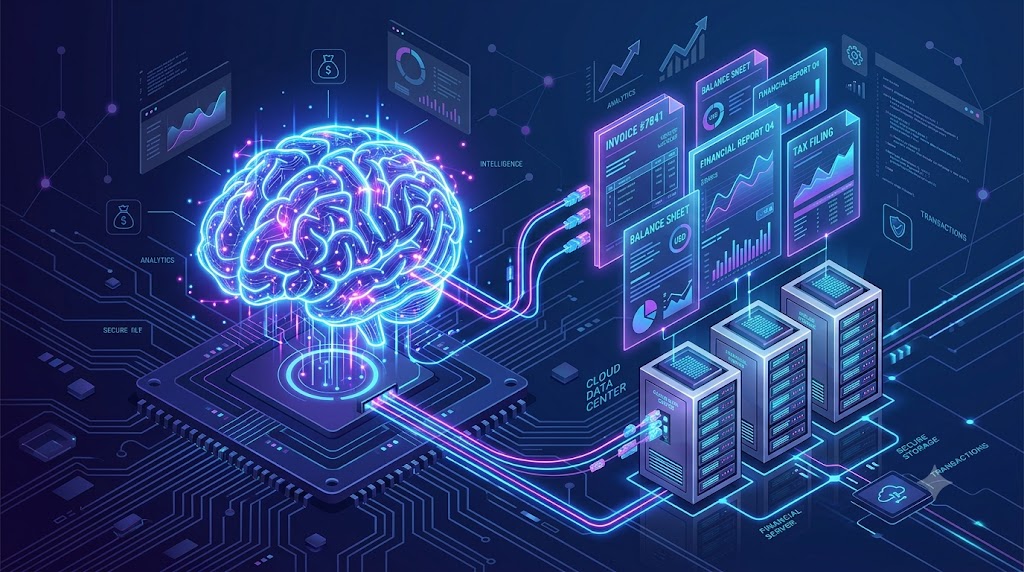
But the AI revolution is changing the game. By embedding the ChatGPT API in accounts payable workflows, you can transform your software from a passive storage drive into an intelligent, autonomous worker. Whether you are building custom software or upgrading an existing ERP, integrating OpenAI’s technology allows you to instantly extract data from complex PDFs, automate vendor communications, and dramatically accelerate payment cycles.
Ready to modernize your finance stack? Here is your comprehensive guide on how to embed the ChatGPT API into your accounts payable software.
Why Integrate AI into Accounts Payable?
Before diving into the code, it is important to understand the tangible benefits of AP automation powered by large language models (LLMs).
- Intelligent Data Extraction: Unlike rigid, traditional OCR (Optical Character Recognition) templates that break when a vendor changes their invoice layout, the ChatGPT API can understand context. It easily identifies totals, line items, and tax amounts regardless of formatting.
- Automated Vendor Communication: The API can be prompted to read incoming emails from suppliers, draft accurate responses regarding payment statuses, and flag discrepancies without human intervention.
- Exception Handling: When an invoice doesn’t match a purchase order, AI can highlight the exact variance (e.g., a missing quantity or price mismatch) and route it to the appropriate manager with a pre-written summary.
Step-by-Step Guide: How to Embed the ChatGPT API in Accounts Payable Software
Step 1: Map Your AP Workflow
Do not automate a broken process. Before writing any code, map out your invoice-to-pay cycle. Identify the biggest bottlenecks. For most companies, this is the initial invoice data extraction and the subsequent 3-way matching (matching the invoice to the purchase order and receiving report). Deciding exactly where the AI will intervene will dictate how you structure your API calls.
Step 2: Generate Your OpenAI API Key
To embed the ChatGPT API, you need to authenticate your software with OpenAI.
- Create an account on the OpenAI Developer Platform.
- Navigate to the API keys dashboard and click Create new secret key.
- Store this key securely. Never hardcode it directly into your front-end client code; always use environment variables or a secure key vault on your backend.
- Ensure you set up a payment method, as the API operates on a pay-per-use model based on token consumption.
Step 3: Connect to Your ERP or AP Platform
You can connect the API using standard backend languages. OpenAI provides official SDKs for Python, Node.js, and other popular environments.
If you are using a low-code environment like Microsoft Power Automate to bridge your ERP and the AI, you can use built-in HTTP actions to send requests directly to the OpenAI endpoints.
Example Node.js initialization:
JavaScript
import OpenAI from "openai";
const client = new OpenAI({ apiKey: process.env.OPENAI_API_KEY });
Step 4: Utilize Structured Outputs (JSON)
When dealing with financial data, you cannot rely on conversational, free-flowing text. You need structured data that your database can digest.
When sending the parsed text of an invoice to the API, use OpenAI’s JSON mode or structured output features. Give the system a strict prompt:
“You are an expert accounts payable assistant. Extract the following information from the provided invoice text and return ONLY a JSON object containing: VendorName, InvoiceNumber, TotalAmount, TaxAmount, and an array of LineItems.”
This ensures the invoice processing AI outputs a clean, predictable data structure that your software can instantly map to your database fields.
Step 5: Automate Approvals and Routing
Once the data is extracted, write logic in your AP software to handle the output. If the extracted TotalAmount matches the ERP’s purchase order, the system can automatically flag it for payment. If there is a discrepancy, the software can use the API to generate a summarized alert and route it to the department head.
Best Practices for AP AI Integration
1. Prioritize Security and PII Redaction
Accounts payable data contains sensitive financial information. Remember that data sent via the enterprise ChatGPT API is not used to train OpenAI’s public models by default. However, you should still implement data classification and mask highly sensitive Personally Identifiable Information (PII) before it leaves your servers.
2. Control Costs with Model Routing
Not every task requires the most powerful (and expensive) model.
- Use lightweight models for simple classification tasks (e.g., categorizing an email as “Invoice” vs. “Spam”).
- Reserve advanced models for complex, multi-page invoice extractions or deep contextual analysis.
- Leverage prompt caching for identical system prompts to reduce costs significantly.
3. Maintain a “Human-in-the-Loop”
AI is incredibly accurate, but not infallible. Design your software so that the API assigns a “confidence score” to its extraction. If the invoice is blurry or the data is ambiguous, automatically route the document to a human AP clerk for final validation.
FAQ Section
Is it secure to send financial data to the ChatGPT API?
Yes, provided you use the official API. Unlike the free consumer version of ChatGPT, OpenAI’s API data privacy policy states that customer data submitted via the API is not used to train their models. Always store your API keys securely in environment variables and use encrypted connections.
Can ChatGPT process PDF invoices directly?
While the base language model processes text, OpenAI’s API includes Vision capabilities that can analyze images of documents directly. Alternatively, many businesses run PDFs through a traditional text-extraction script (like Python’s PyPDF2 or AWS Textract) first, and then send the raw, messy text to the ChatGPT API to be cleaned, categorized, and formatted into JSON.
Do I need a team of developers to embed the ChatGPT API?
It depends on your current setup. If you are building custom AP software from scratch, you will need developers to implement the API SDKs. However, if you use modern cloud platforms, you can often use no-code/low-code integration tools like Zapier or Power Automate to connect the API to your existing ERP with minimal coding required.
Conclusion
Embedding the ChatGPT API in accounts payable software is no longer a futuristic concept—it is a practical, cost-saving upgrade that is accessible today. By automating invoice data extraction, streamlining vendor communication, and accelerating approval workflows, you can free your finance team from manual data entry and allow them to focus on strategic growth.
Start small by automating a single workflow, like email classification or invoice data extraction, and scale your AI capabilities as your confidence in the technology grows.


Leave a Reply